
How to Change Your Instagram Password on iPhone or Android
Need to change your Instagram password? This easy step-by-step guide shows you exactly where to tap inside the Instagram app, with marked images to help you follow along.
1Go to your Instagram profile
Open Instagram and go to your profile page.
You can do this by tapping your profile picture in the bottom right corner of the app.
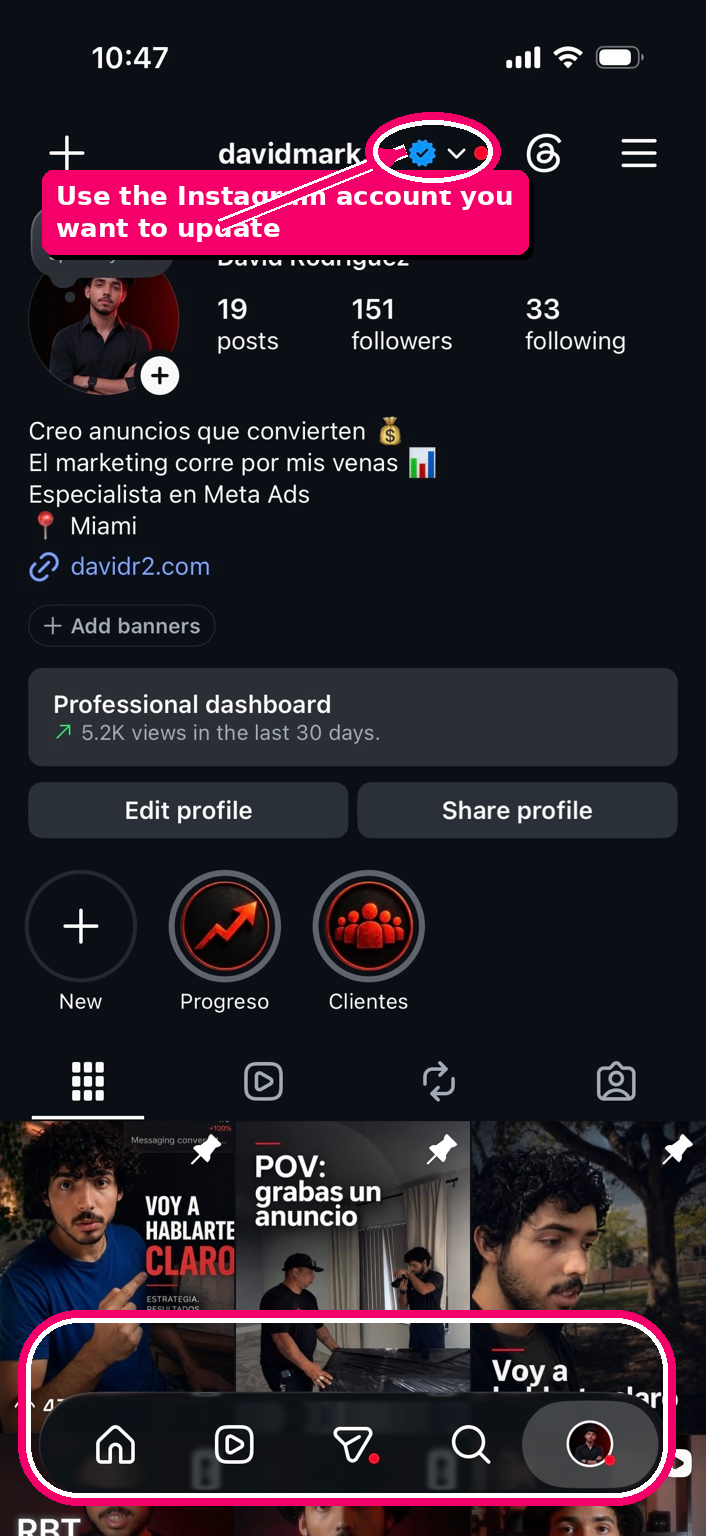
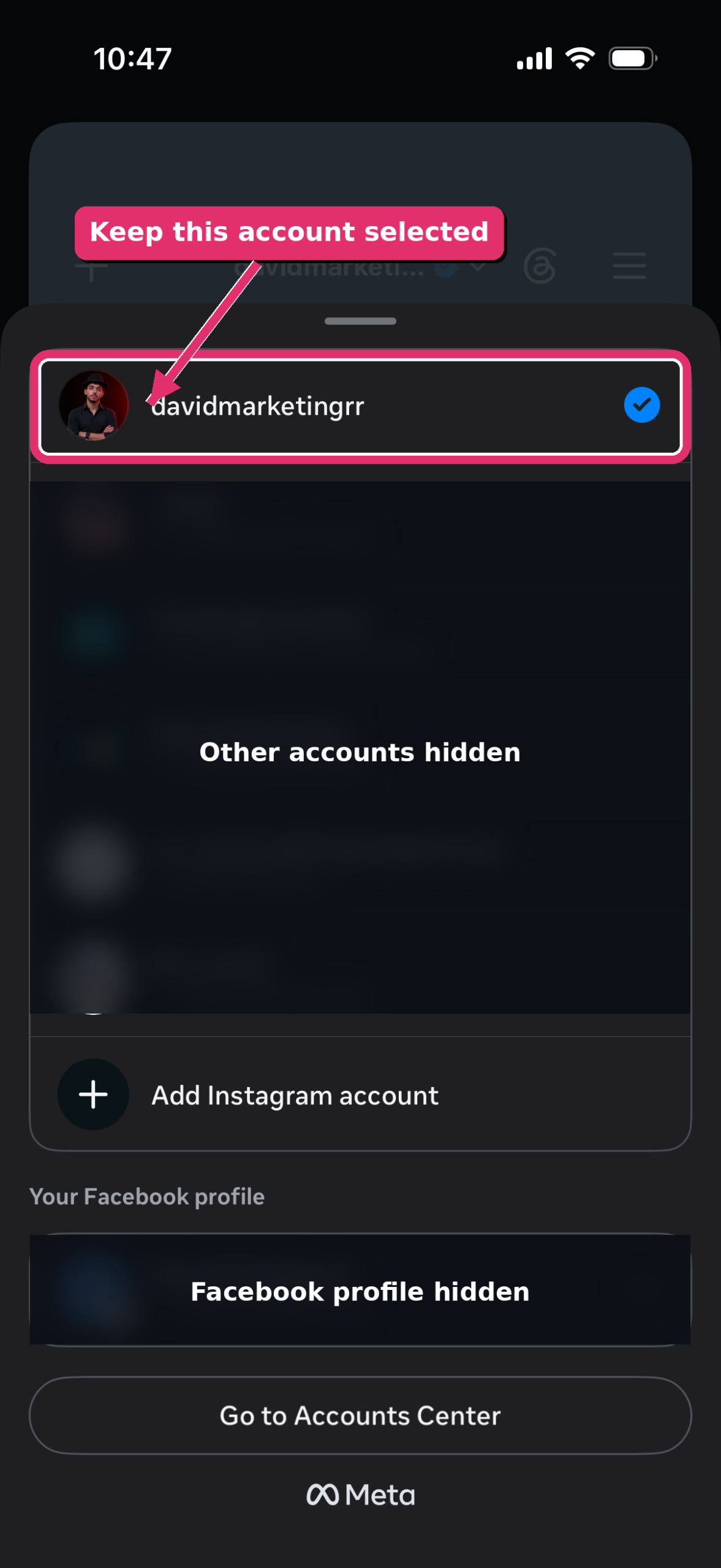
2Make sure you are using the right Instagram account
If you manage more than one Instagram account, check that the correct one is selected.
This helps you avoid changing the password for the wrong Instagram account.
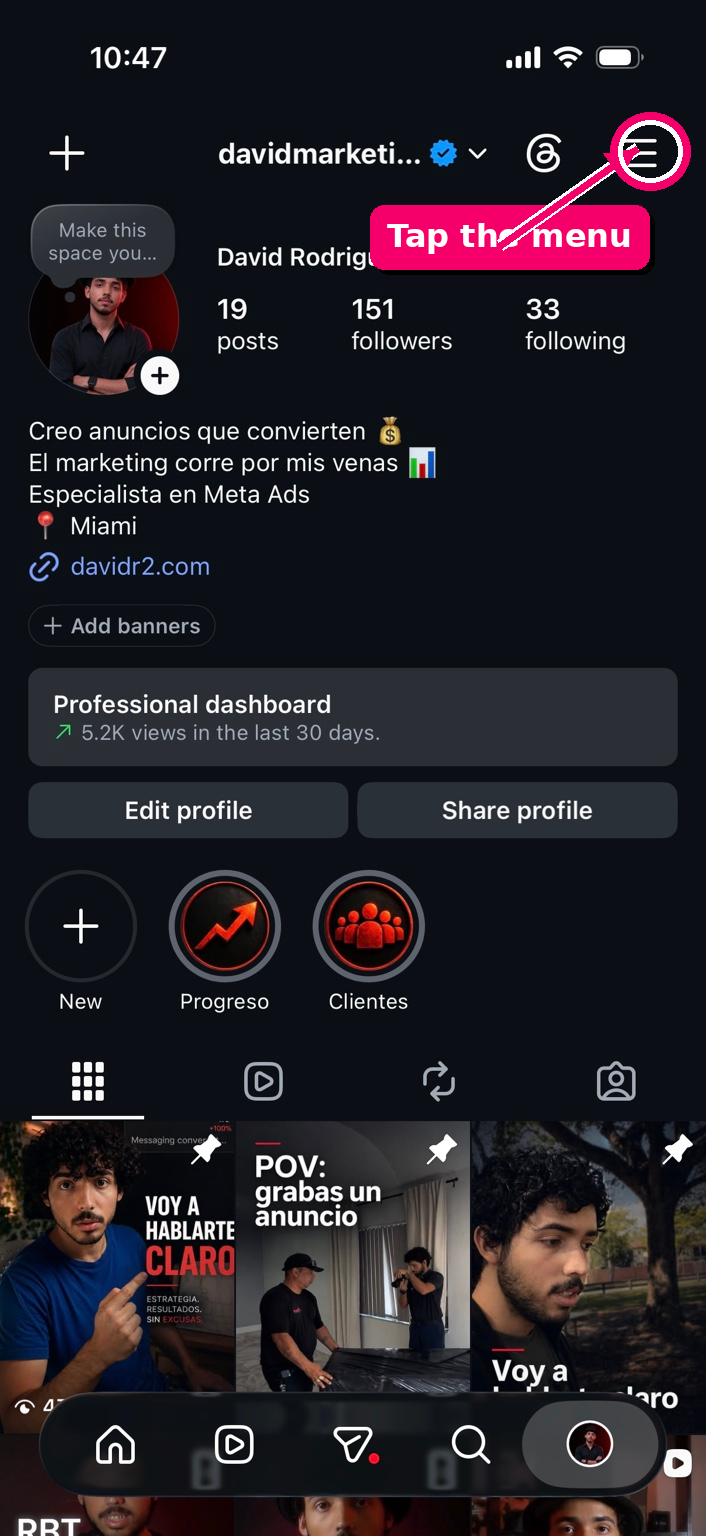
3Tap the menu
Once you are on your profile, tap the three-line menu in the top right corner.
This opens the main Instagram settings area.
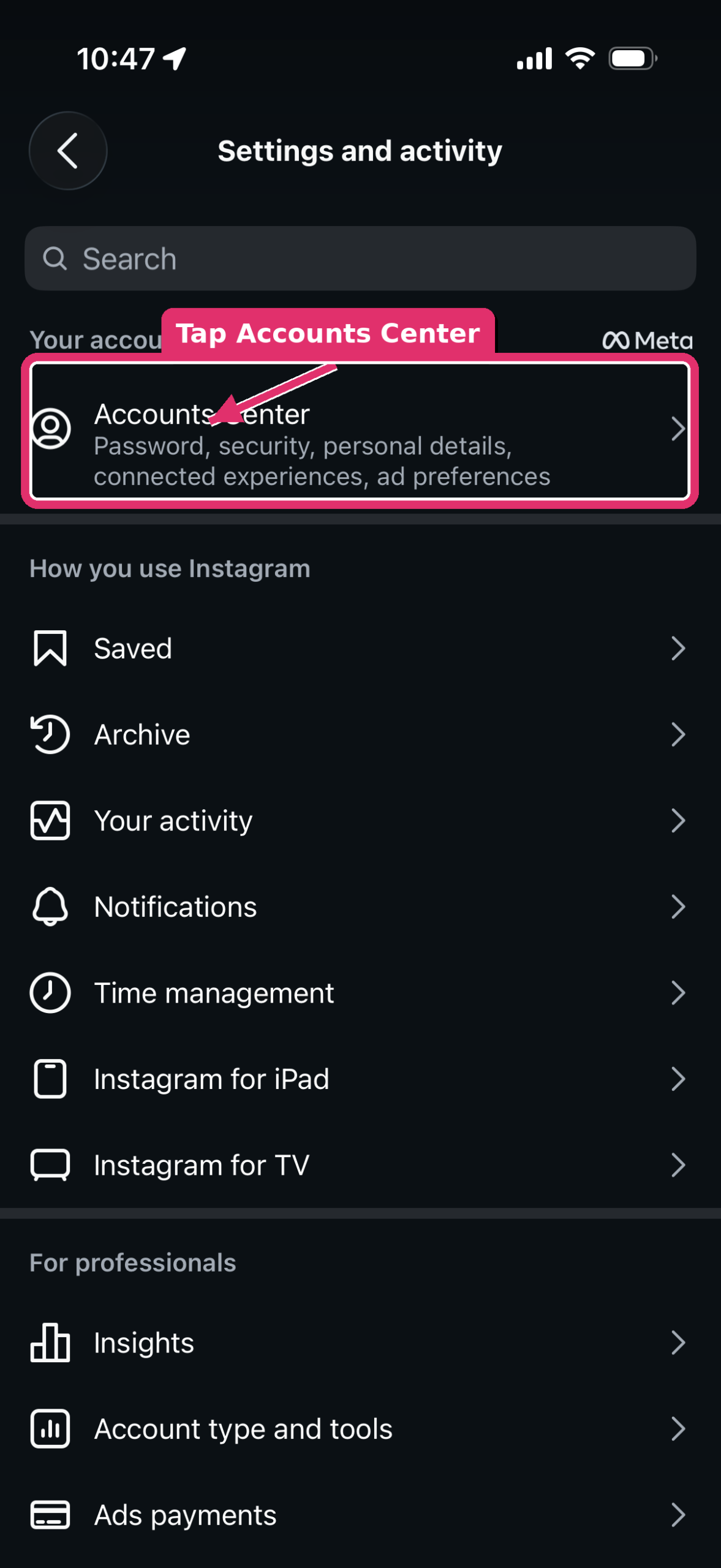
4Tap “Accounts Center”
Instagram will take you to Settings and activity.
Near the top, tap Accounts Center. This is where Meta manages Instagram and Facebook account settings.
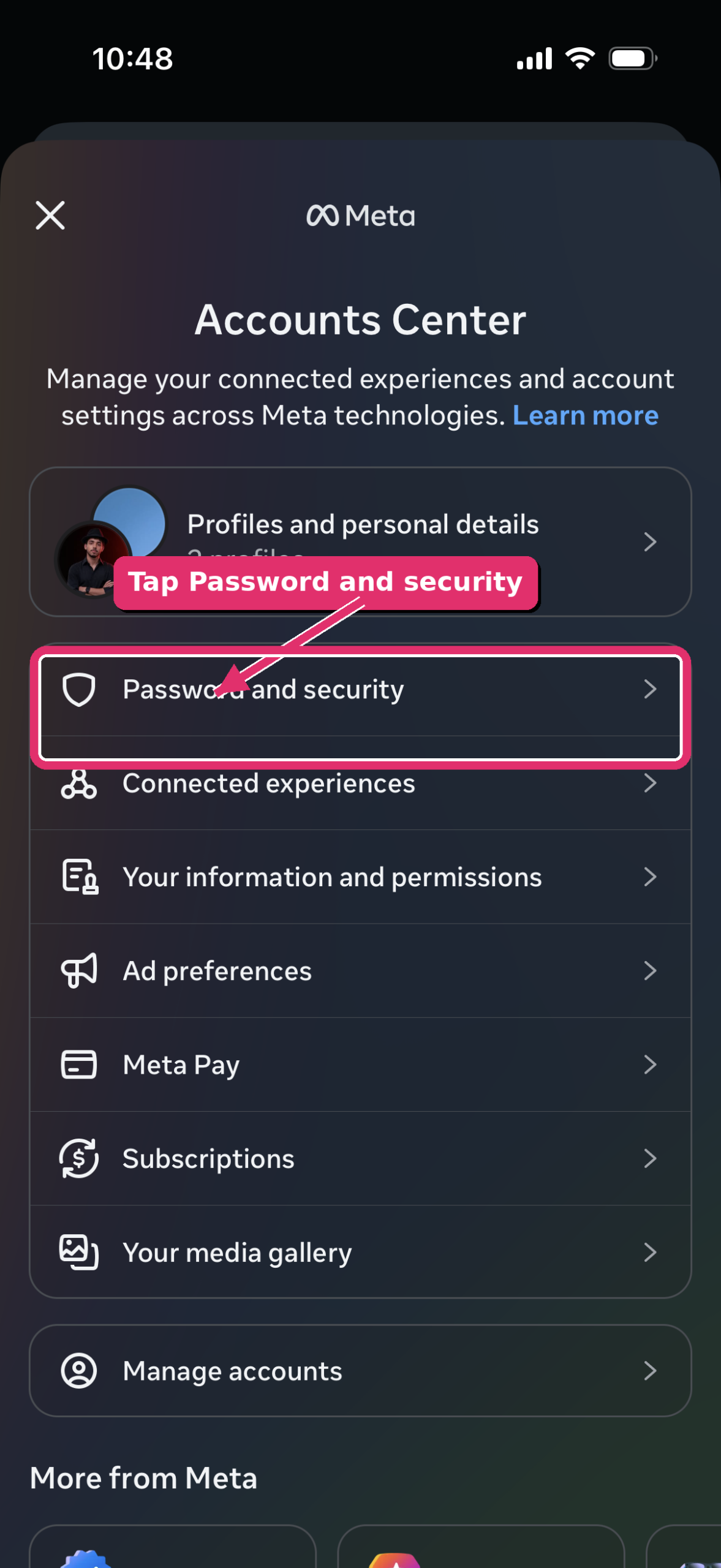
5Tap “Password and security”
Inside Accounts Center, look for Password and security.
This is where you can update your password and manage your login security.
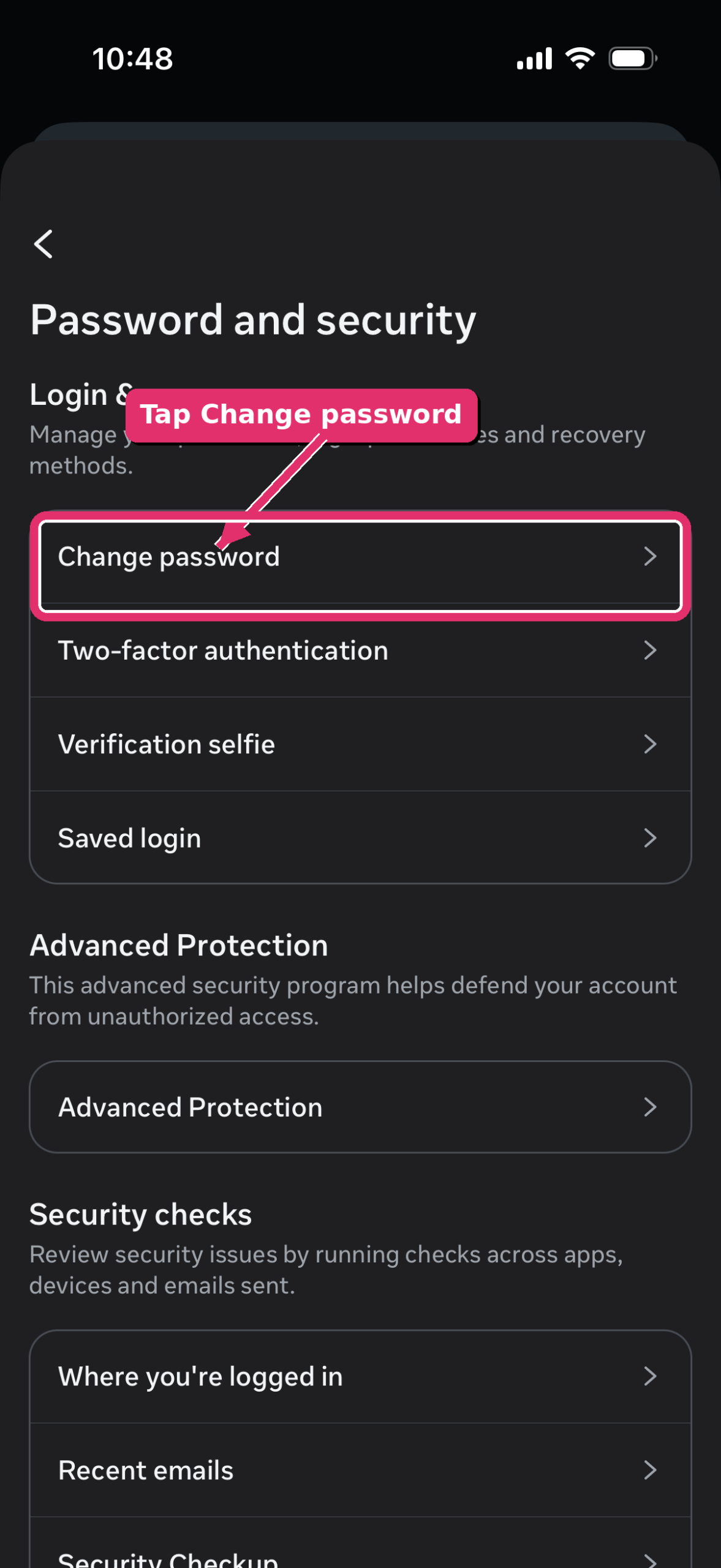
6Tap “Change password”
In the Password and security screen, tap Change password.
This opens the account selection screen.
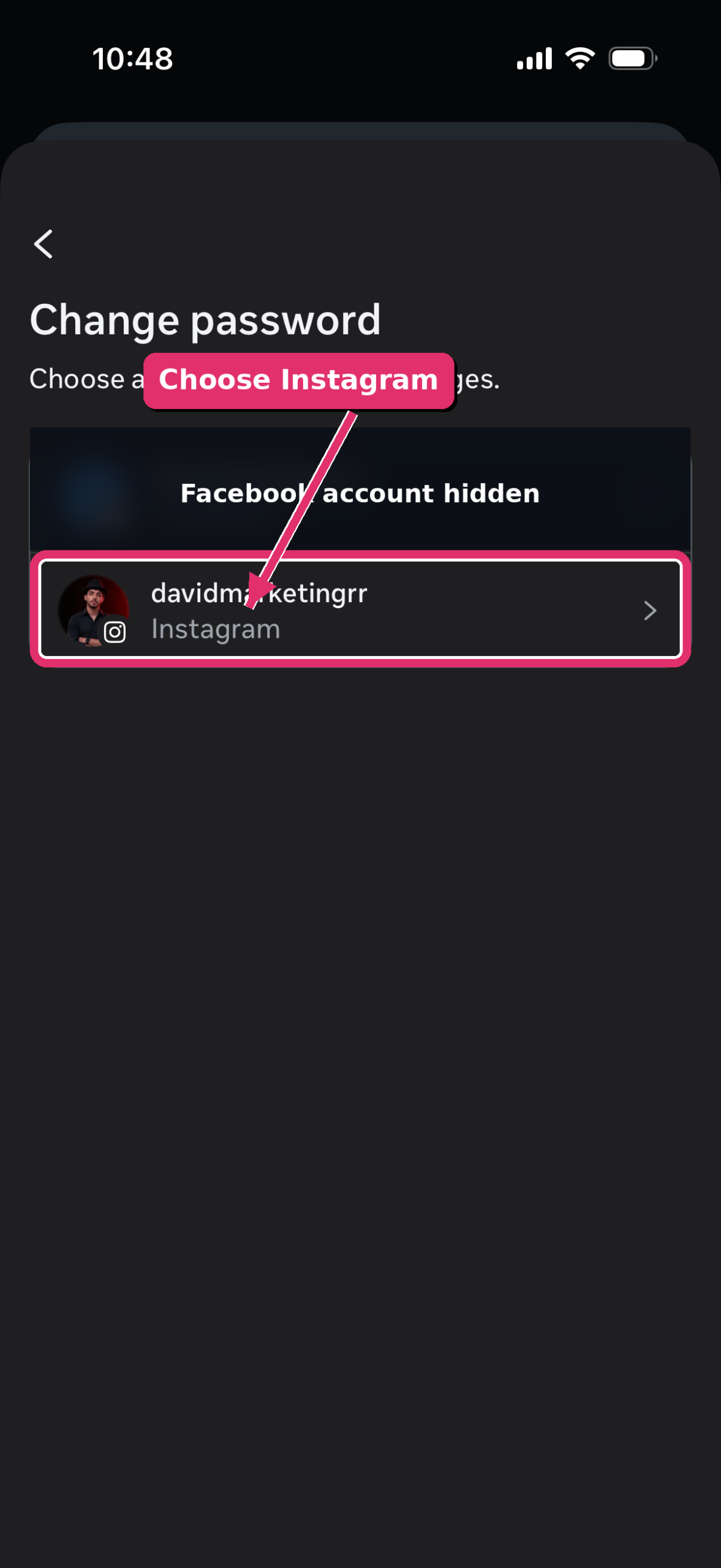
7Choose your Instagram account
If Facebook and Instagram both appear, choose the row that says Instagram.
This makes sure you are changing your Instagram password, not your Facebook password.
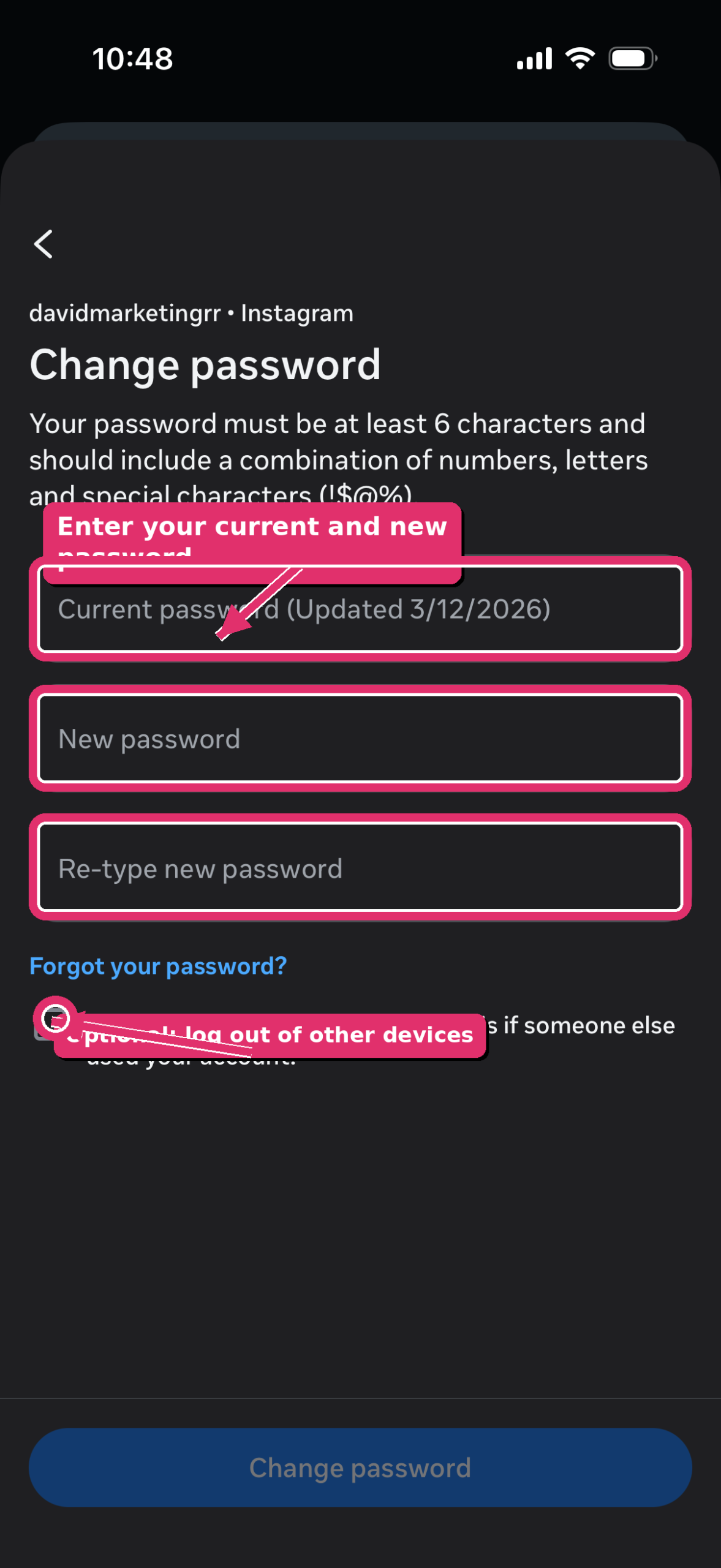
8Enter your current password and your new password
Type your current password, then your new password, and then type the new password again.
When everything is correct, tap Change password.
Frequently Asked Questions
Can I change my Instagram password if I forgot the old one?
Yes. On the password screen, tap Forgot your password? and follow Instagram’s recovery steps.
Should I log out of other devices?
Yes, especially if you think someone else may have used your account. This helps protect your Instagram profile.
How often should I change my Instagram password?
Change it any time you think your account may not be safe, or if you used the same password on another website.